
The LeviMensa method, in an app
Your inboxes, your concrete lists, your outcomes and your Supercycles in one place. The app applies the rules of the method alongside you, so your system stays reliable week after week.
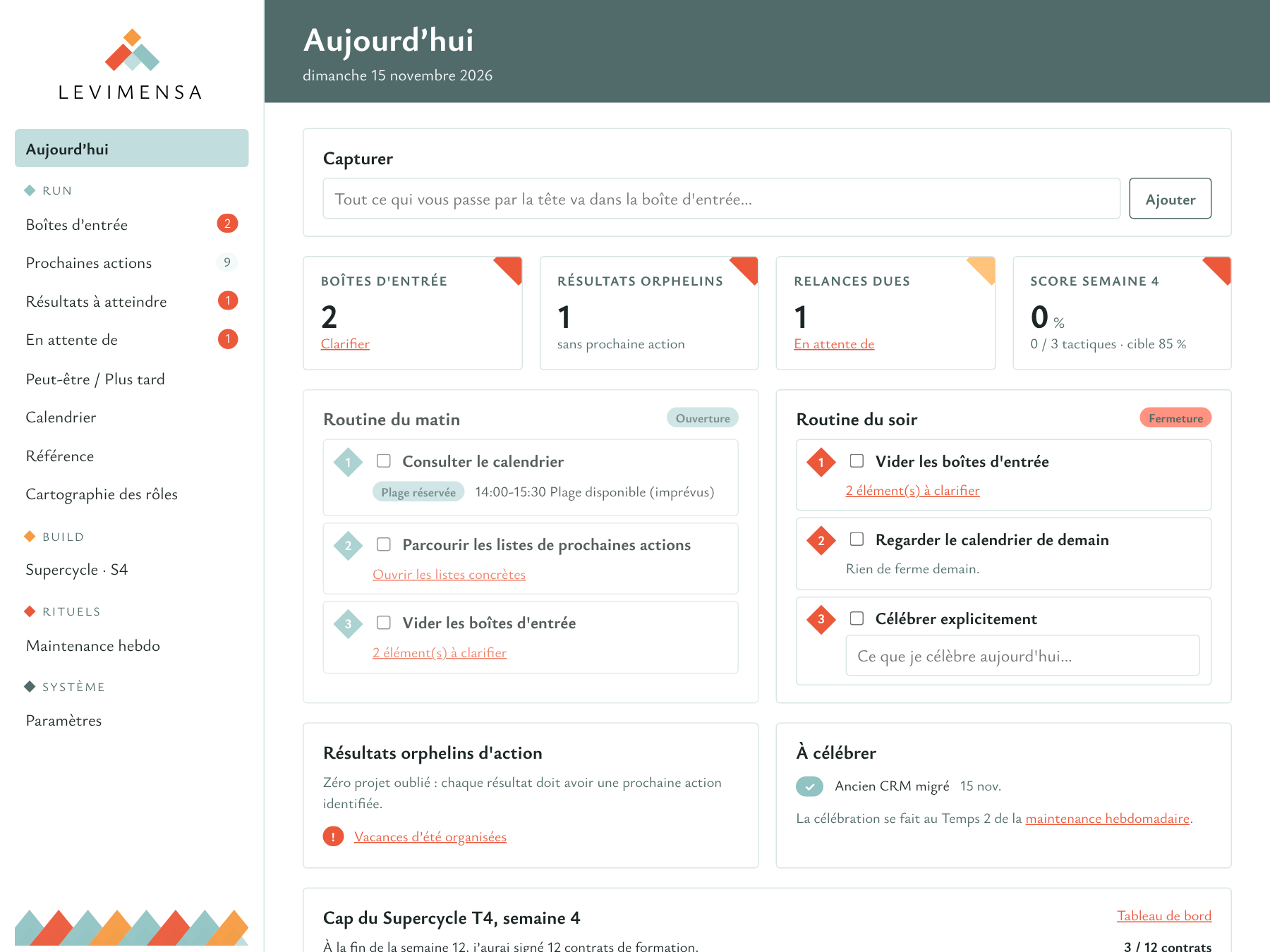
- What it covers The Run and the Build, connected to each other
- Devices Browser, Mac, iPhone and Android
- Connected to Gmail, your calendars and your AI assistant
- Availability In closed testing for now, in French only
A tool that already knows the method
In a standard task manager, it is up to you to rebuild the lists, the rules and the rituals, and then to stick to them. Here they are already in place: each screen matches one object of the method, with its safeguards.
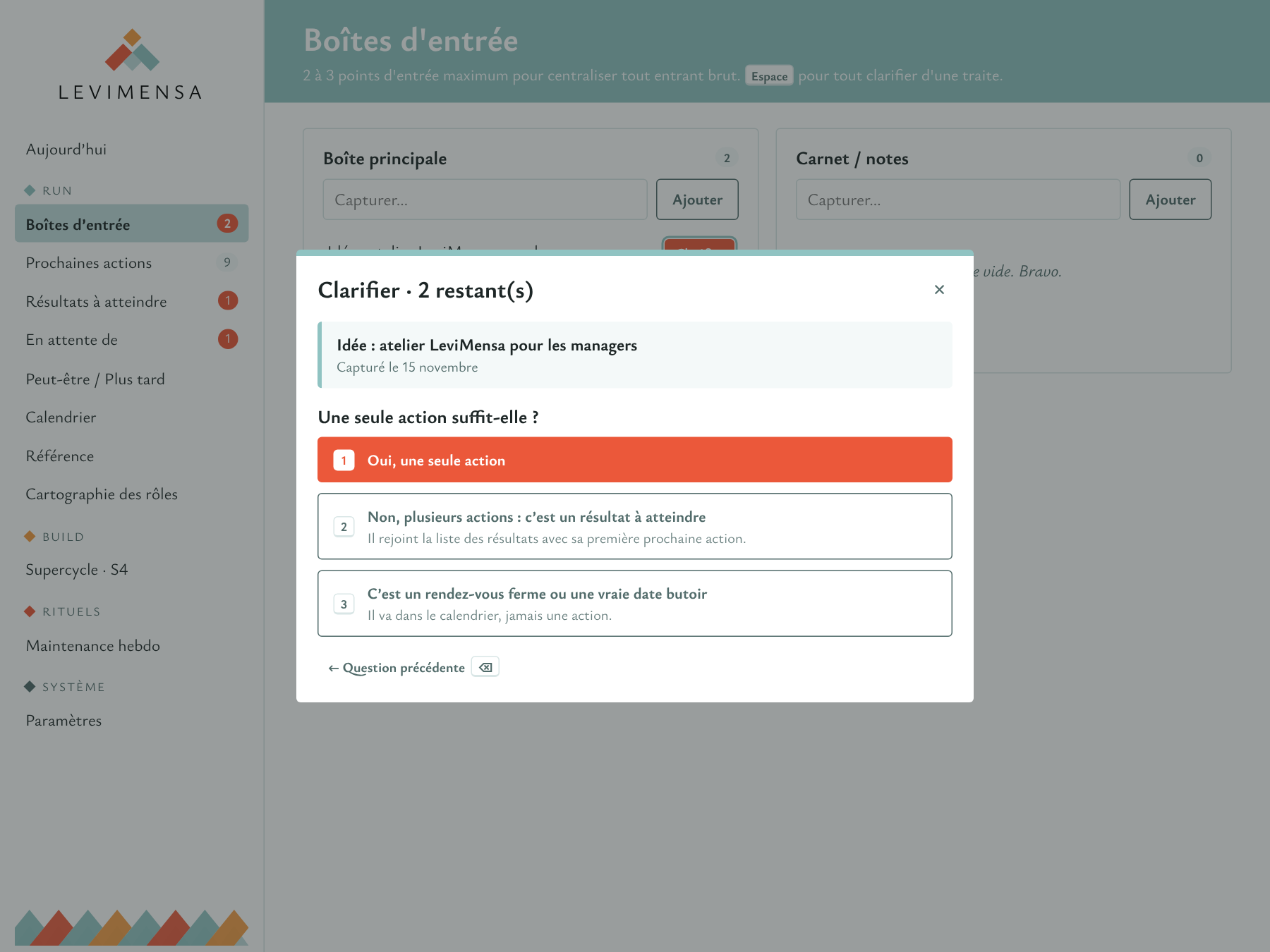
Clarify, one question at a time
Every captured item goes through the questions of the method, in order. You answer, the app files it.
- The roles filter first sets aside what is not yours to handle.
- A next action goes into a concrete list, according to the circumstance in which you will do it.
- A firm appointment goes to the calendar, never into a list.
- Whatever depends on someone else goes to "Waiting for", with its follow-up date.
No outcome without a next action
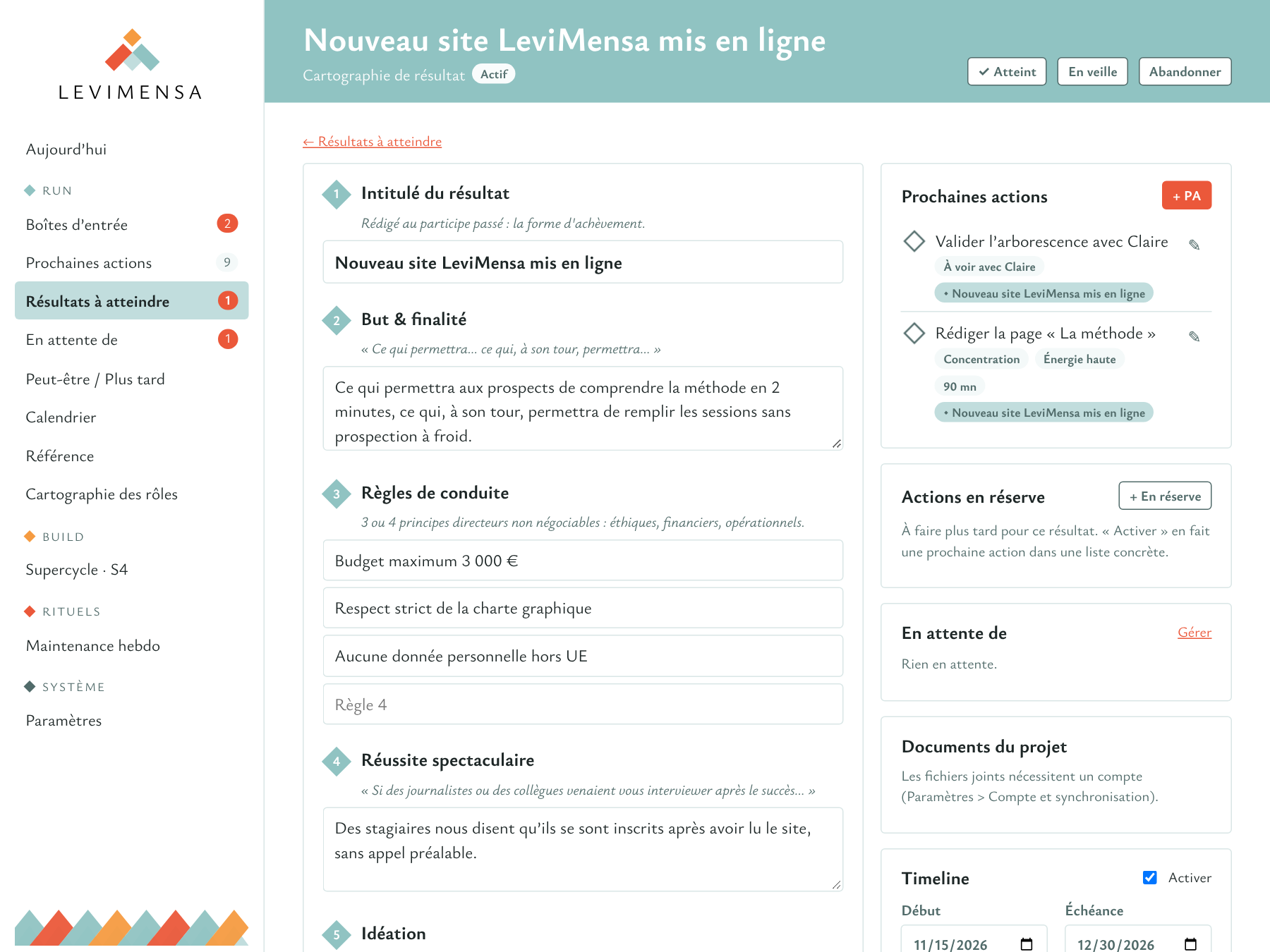
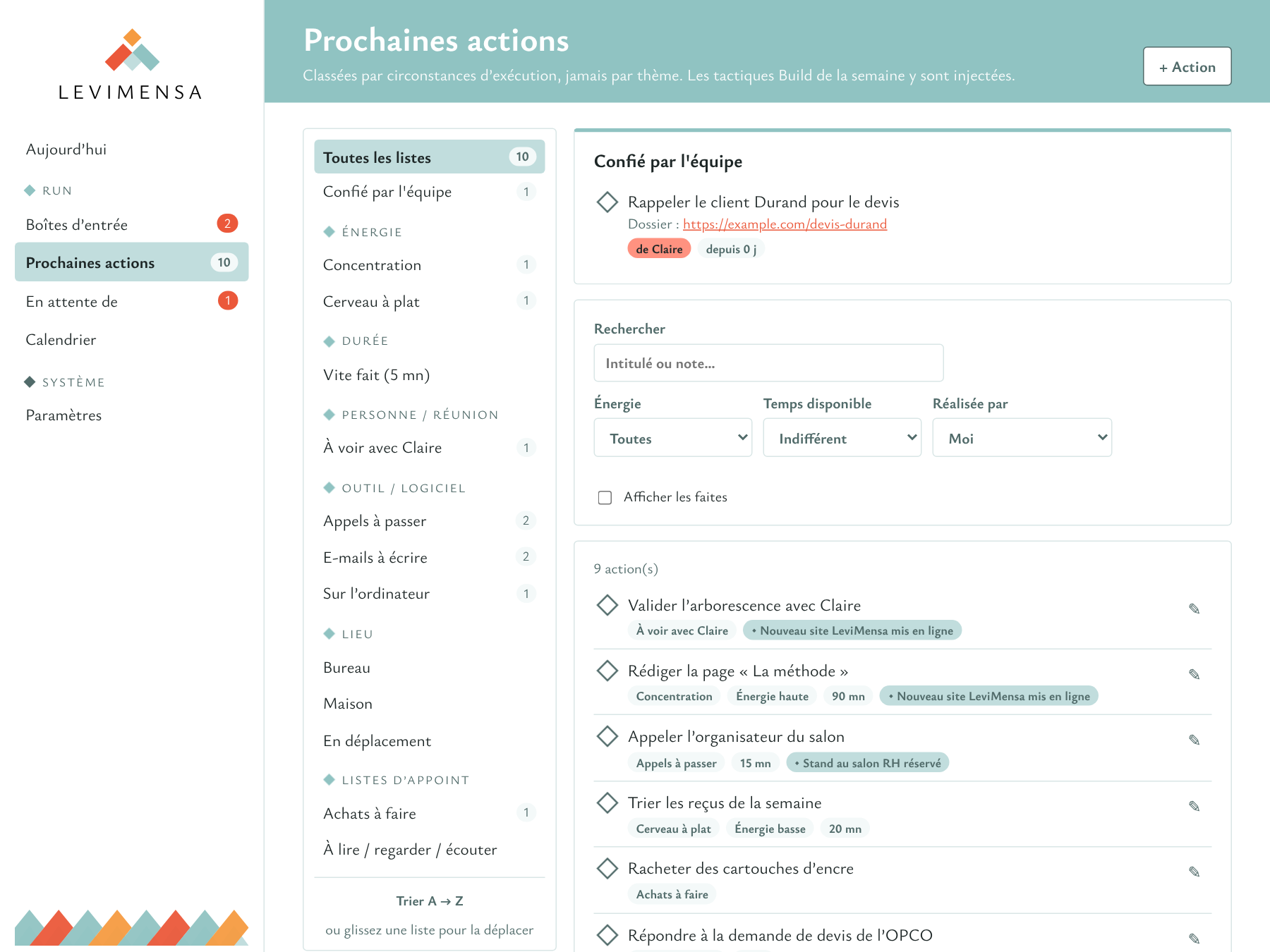
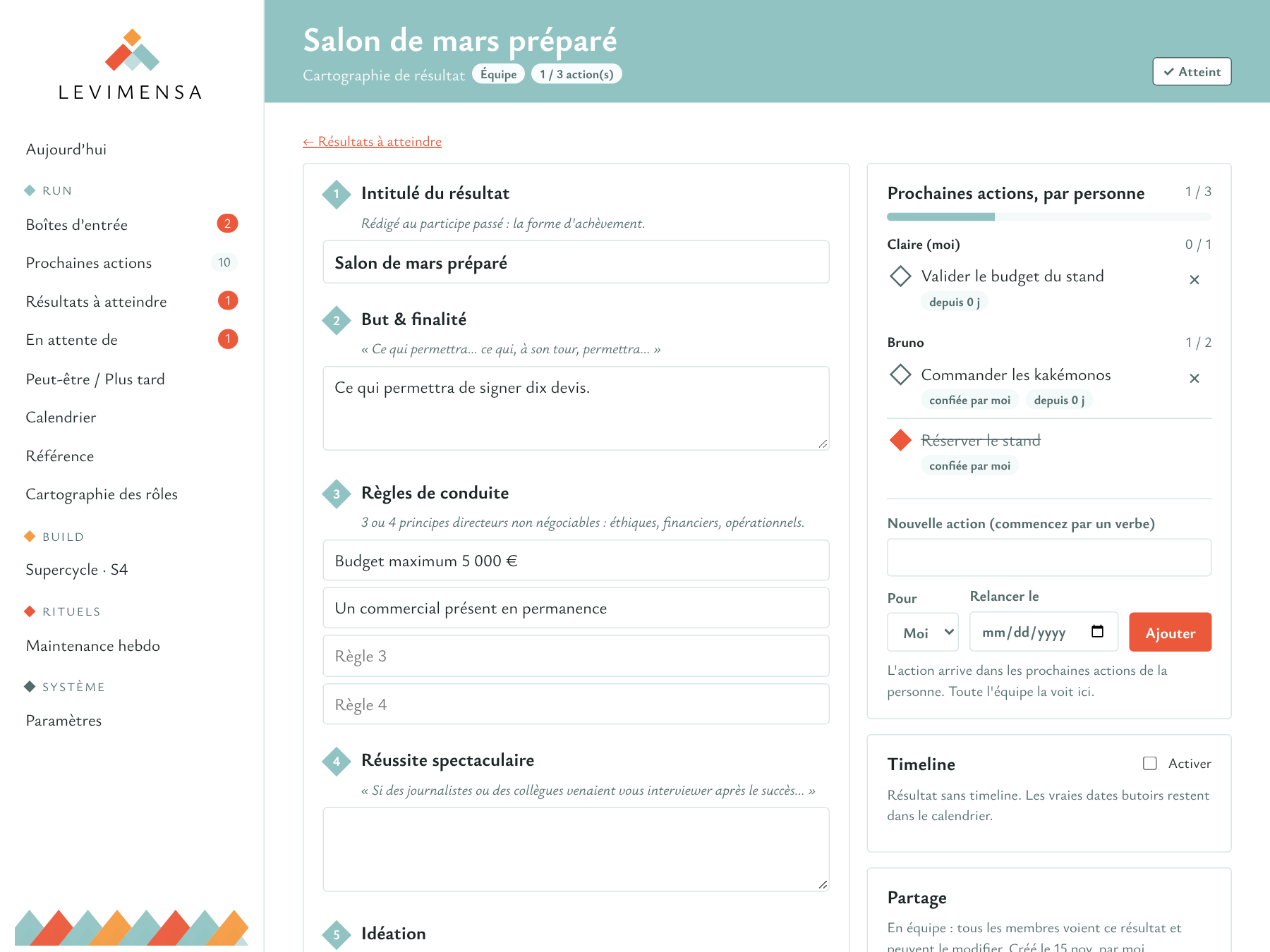
Each outcome keeps its map and its next actions in front of you. As soon as an outcome has no identified action left, it is flagged as an orphan.
- The title, written as if already achieved, is checked as you type.
- The map follows the sections of the method: purpose, guiding principles, spectacular success, ideation, planning.
- Actions for later stay in reserve, outside your lists, until you activate them.
The Supercycle and its score, without a spreadsheet
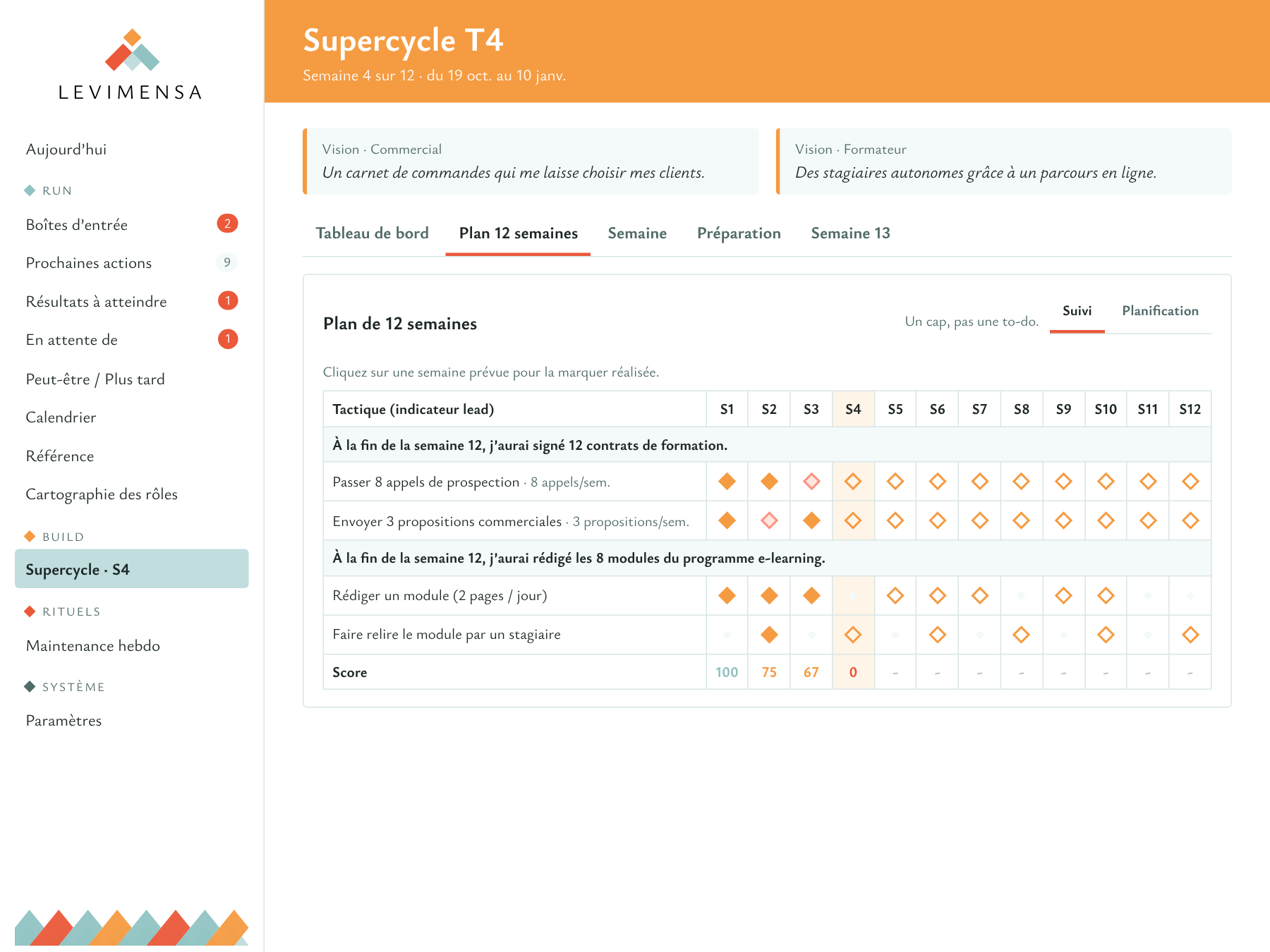
You set your goals and your tactics over twelve weeks. Each week, the planned tactics become next actions in your concrete lists, and ticking them off updates the score.
- One to three goals, two to four tactics per goal.
- The weekly score and the running total, with the 85% target.
- Week 13 for the review, the celebration and the preparation of the next cycle.
Working together, without one more email
Handing over an action should not create a message for the other person to process, nor a follow-up for you to keep track of. Within a team, the action goes straight from one system to the other.
A delegated action tracks itself
You pick a team member in the action's details. It lands in their list, with your notes, and you have nothing left to keep up to date.
- On their side, it appears at the top of their next actions, without going through their inbox.
- On your side, it joins "Waiting for", with a follow-up date if you want one.
- When they tick it off, your waiting item closes.
- Everyone keeps their own system: nobody sees anyone else's lists.
An outcome, solo or as a team
A team outcome is an outcome like any other: the same title written as if achieved, the same full map. What changes is that the whole team sees it and its actions are shared out among people.
- Everyone sees who does what and where the outcome stands.
- A step in the planning becomes someone's next action in one click.
- A team outcome with no next action is flagged as an orphan, just like your own.
- A solo outcome can become a team outcome when needed, along with its map.
A view that fits each person
Not everyone needs the whole method on day one. Each person chooses what the app shows them, and can change it whenever they like.
- Actions: capture, clarify, your lists, your waiting items and your calendar. The questions of the method are there, without its vocabulary.
- Full Run: outcomes, roles and rituals are added.
- Run and Build: Supercycles are added in turn.
Your AI, plugged into your system
An AI answers better when it knows what you have to do. The app opens your system to it, along with its rules: it knows your roles, your lists, your outcomes and your Supercycle, and it works within the framework of the method.
Just ask
In a conversation, your assistant looks at your lists and your outcomes to answer from your real situation, not from generalities.
- It picks from your concrete lists according to the time and energy you have.
- If it also has access to your mailbox, it cross-checks your emails and your actions.
- It spots outcomes with no next action and overdue follow-ups.
- What you dictate to it lands in your inbox, to be clarified like everything else.
"I have twenty minutes and I'm a bit flat. What could I do right now?"
"Give me an overview of my current priorities, cross-checking my emails and my actions."
Hand it an action
A button on each next action lets you delegate it to your AI. It prepares, you approve: you remain responsible for the outcome.
- The delegated action leaves your lists while the work is done, then comes back with the result for you to review.
- You can take it back at any time: delegation is reversible.
- The AI can tick off a completed action, but never delete anything.
- The connection follows an open standard. It was developed with Claude.
Around the system
A system only holds if everything gets into it easily and if you keep coming back to it. The app takes care of both.
-
From Gmail
You clarify an email without leaving your mailbox. The action keeps the link to the message, which is archived right away.
-
From your phone
A text message, a WhatsApp message or a passing idea reaches the inbox in one gesture.
-
Your calendar, read-only
Your Google or iCloud calendars are displayed in the app, by week or by month, next to your deadlines and milestones.
-
Guided rituals
Morning and evening routines, the weekly maintenance in three stages and preparation for the WAM.
-
On all your screens
The app installs on Mac, iPhone and Android from the browser. Your data follows you from one device to the next.
-
Everything from the keyboard
Capturing, clarifying and navigating all work without the mouse, so you can empty an inbox in one go.
A gradual opening
The app is currently being tested by a small group of people trained in the method. It will then be offered to participants in the LeviMensa training courses.